
Reframe (Change the Camera Angle)
Change the camera's angle, height and distance to regenerate the image from a different viewpoint.
Reframe is a mode that changes the camera angle of the selected image and regenerates it from that viewpoint. Showing one space from several angles makes your proposal more convincing.
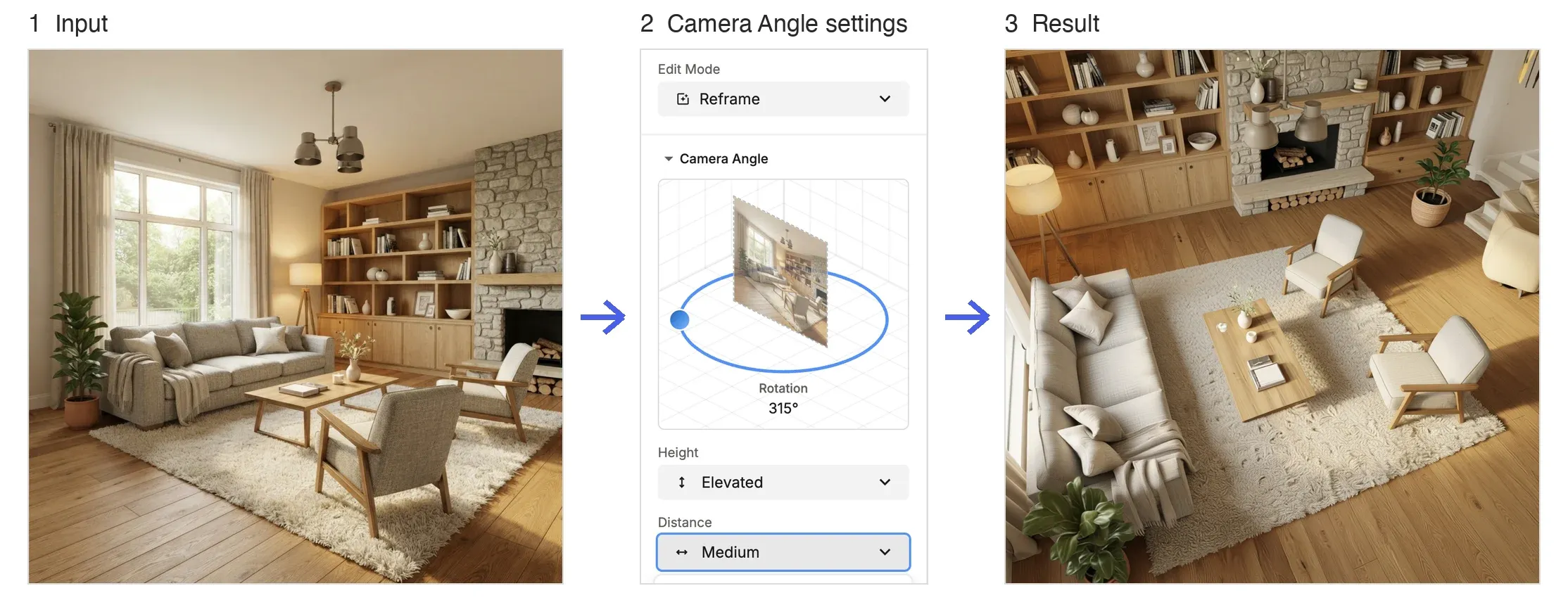
How to Use
- Open the Edit tab with the image you want to reframe.
- Choose Reframe under Edit Mode.
- Under Camera Angle, drag the dot around the circle to set the Rotation.
- Choose the Height and Distance.
- Click Generate (20 credits).
Settings You Can Change
- Rotation: Set in 45-degree steps.
- Height: High Angle / Elevated / Eye Level / Low Angle (4 options).
- Distance: Close / Medium / Wide (3 options).
Combine Height and Distance to create the shot you want to show.
💡 Tip: The angle can only be set in 45-degree steps (you can't choose any angle you like). When you want to show multiple viewpoints, build them within these steps.