
Background Settings (Exterior Only)
Choose the surroundings of the building for an exterior rendering. When you set the Project Type to Exterior, Background appears in the Output Specs (for the Photo, CG Render, Concept Sketch and Painted Sketch input types). You can choose the surroundings for your building from presets. Background doesn't appear for interiors, or for Mockup, Floor Plan or Elevation plan input.
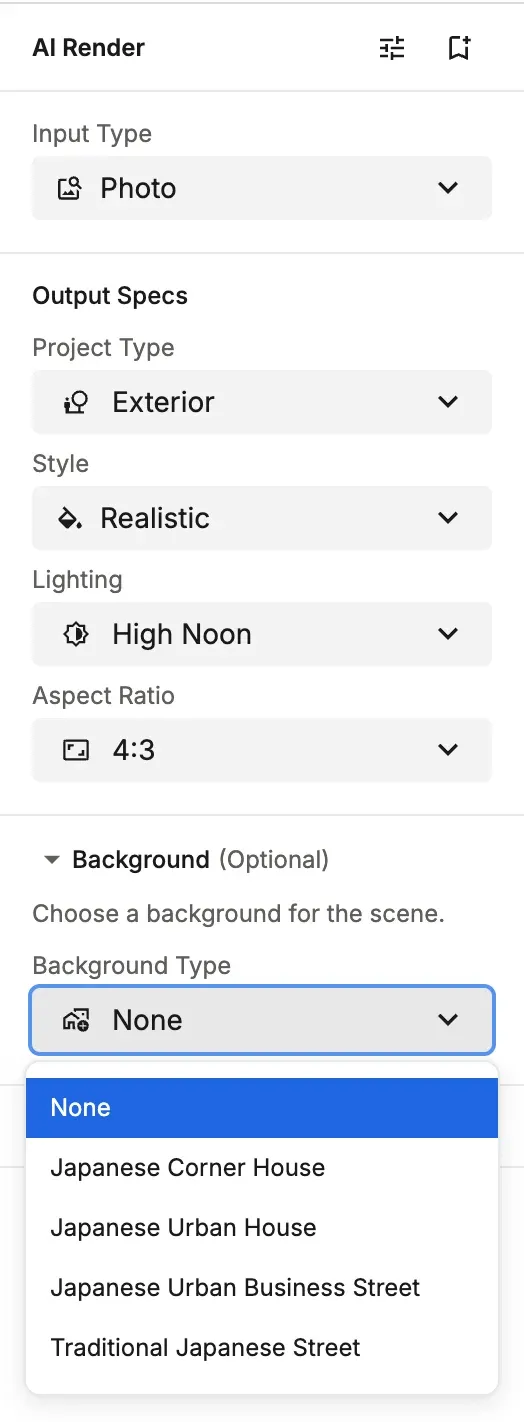
Backgrounds You Can Choose (Exterior)
- Japanese Corner House: A residential streetscape on a corner lot, with roads on two sides.
- Japanese Urban House: A typical residential streetscape, with neighboring houses on the left and right.
- Japanese Urban Business Street: An urban streetscape lined with office buildings and commercial facilities.
- Traditional Japanese Street: A Japanese-style streetscape full of historic architecture and charm.
You choose the background from 4 presets. You can't specify any scenery you like in detail, so if you have something particular in mind, add it in the prompt, or adjust it after generation with the Background mode in the AI Image Editor.
💡 Tip: Choosing a background close to the site conditions and use gives you a more natural rendering. For detached houses, choose Japanese Corner House or Japanese Urban House to match the site. For building and store exteriors, choose Japanese Urban Business Street. For Japanese-style architecture or proposals in historic districts, choose Traditional Japanese Street.