
Request Type: Recolor
Change the color of a specified element using the color picker or other methods.
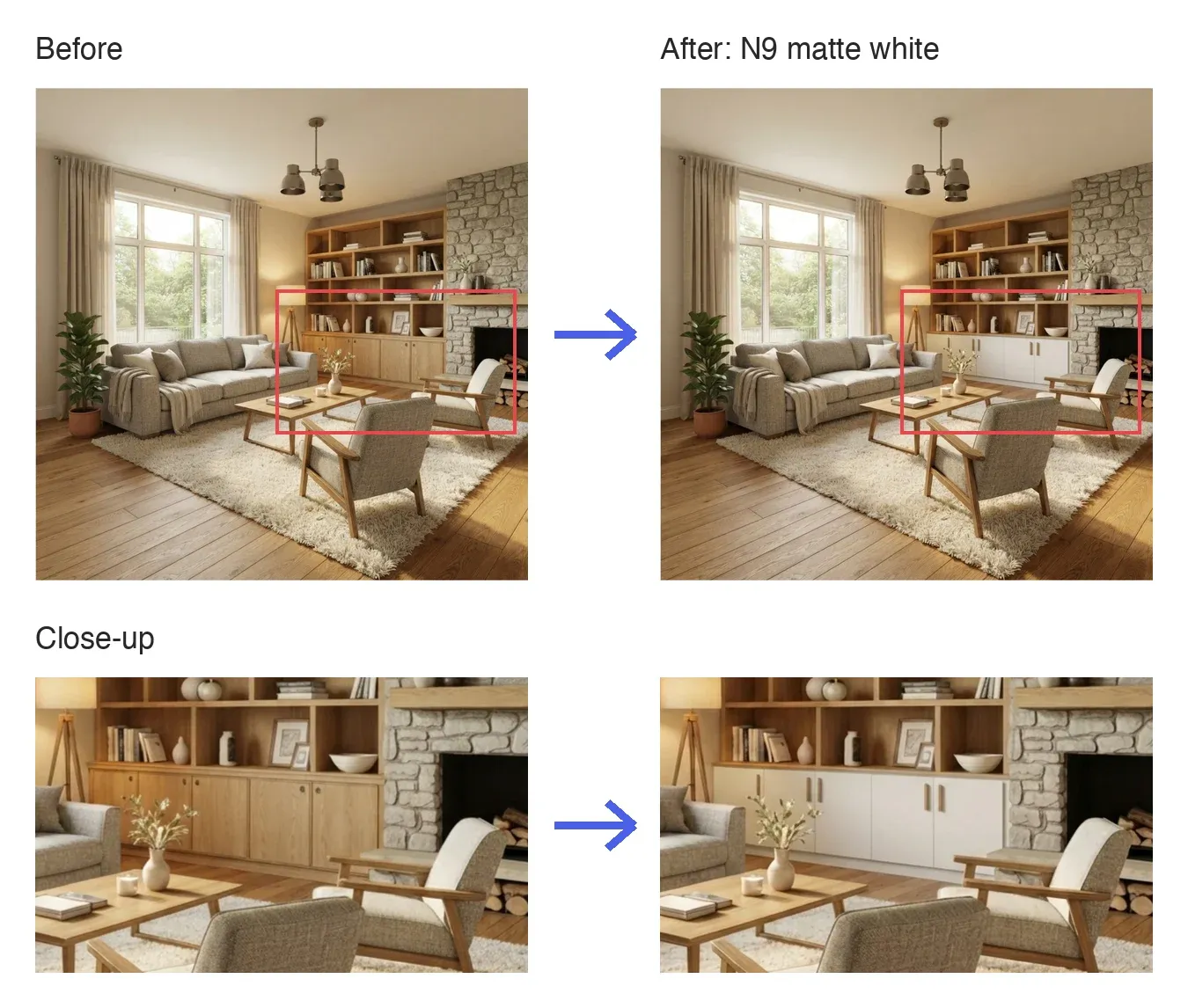
Recolor is the request type for setting a new color for an element in the marked area. It's useful when you want to change only the color while keeping the shape and texture.
Example: wooden cabinet doors → matte white.
How to Use
- Mark the area: In Smart Edit, drag the Rectangle tool over the element you want to recolor. A request panel opens.
- Choose Recolor: Under Request Type, select Recolor.

- Say what to recolor: In What to recolor, describe the element, for example Lower cabinet doors.
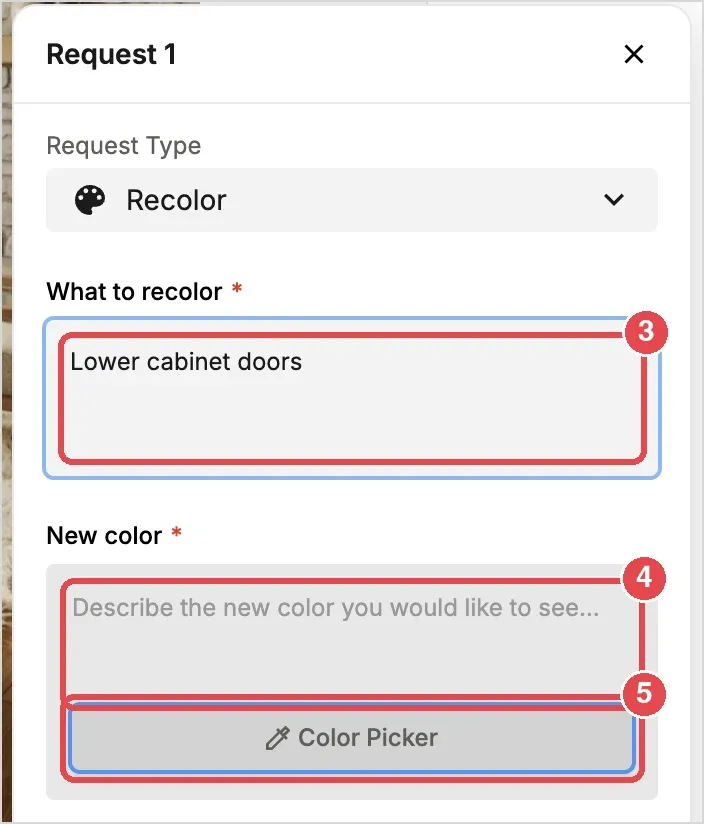
- Enter the new color: Type the color in New color, for example matte white.
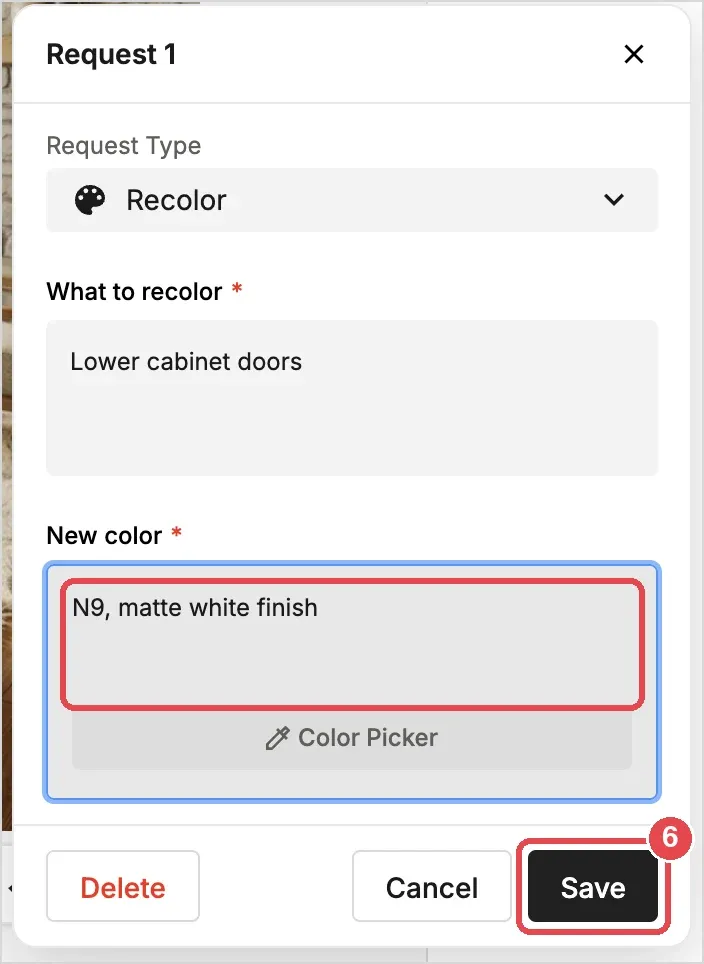
- Or pick it precisely: Click Color Picker and choose a color (see Using the Color Picker below). Its Munsell code, such as N9, is entered in New color. You can add words after the code, such as matte white finish.
- Save the request: Click Save.
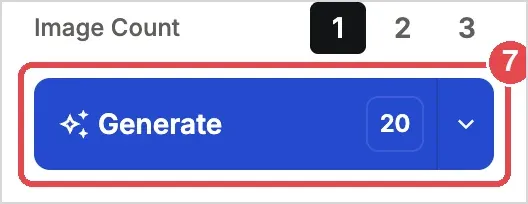
- Generate: Click Generate (20 credits).
Ways to Specify the New Color
- Text: Describe the color in New color.
- Color Picker: Click Color Picker under the color field to pick the color precisely, including by Munsell value.
Using the Color Picker
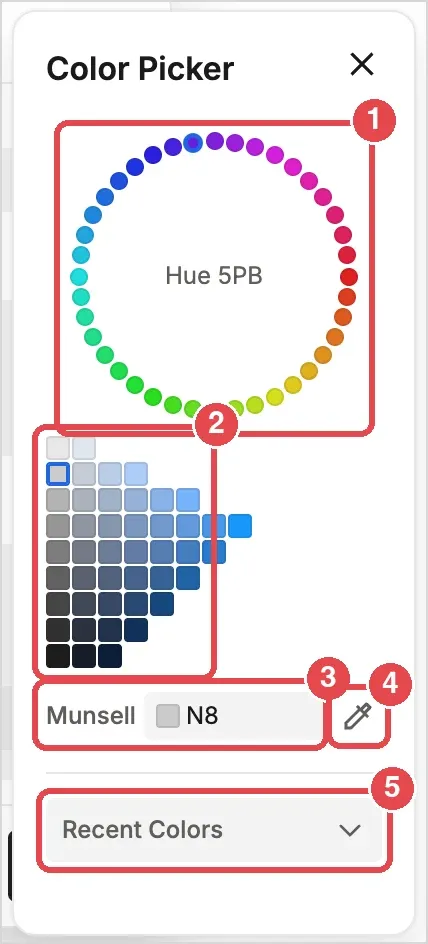
- Hue wheel: Click a dot to choose a hue. The current hue is shown in the center, for example Hue 5PB.
- Swatches: Click a swatch to choose the lightness and color strength. Rows run from light (top) to dark (bottom), and colors get stronger toward the right. The left column holds the neutral greys and whites.
- Munsell: Shows the code of the chosen color. You can also type a code here, such as 2.5PB 7/4, and press Enter.
- Eyedropper: Click the eyedropper icon, then click anywhere on the screen to pick that color. It is converted to the nearest Munsell code.
- Recent Colors: Shows the colors you used recently as swatches. Open this menu to switch to a saved color palette instead.
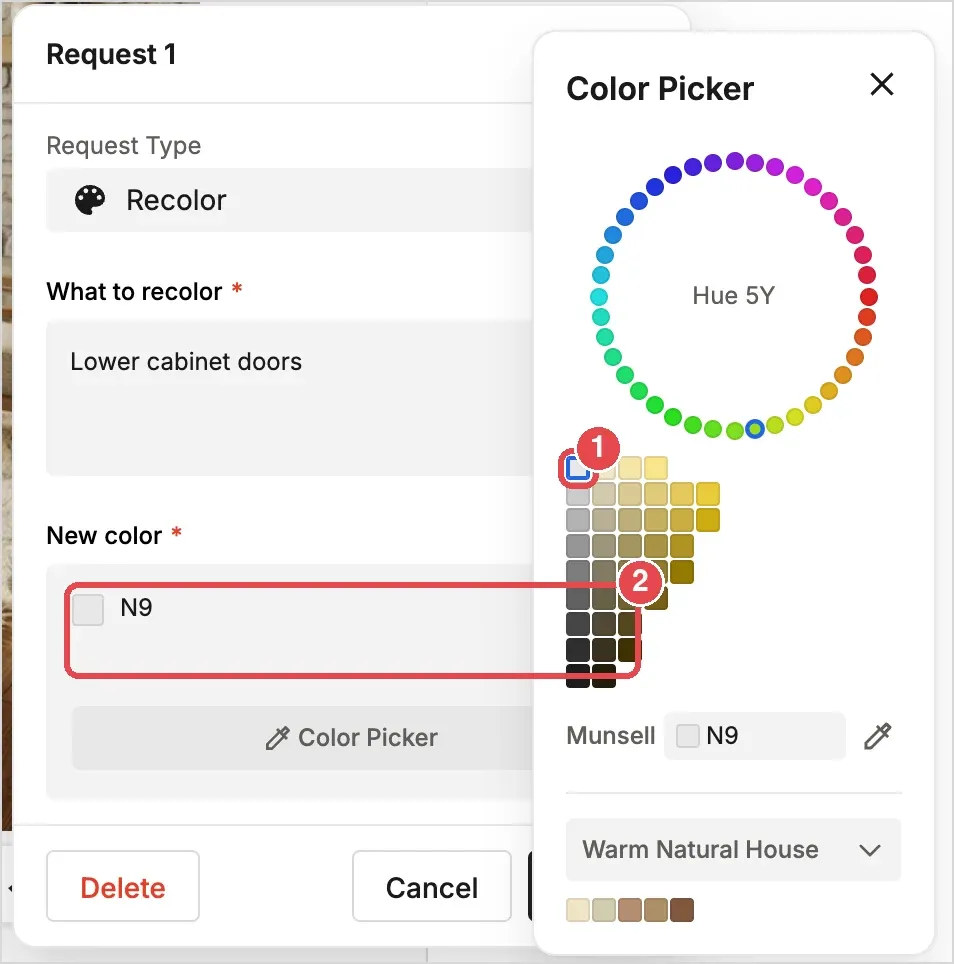
When you click a swatch, its code is entered in New color right away:
Color palettes
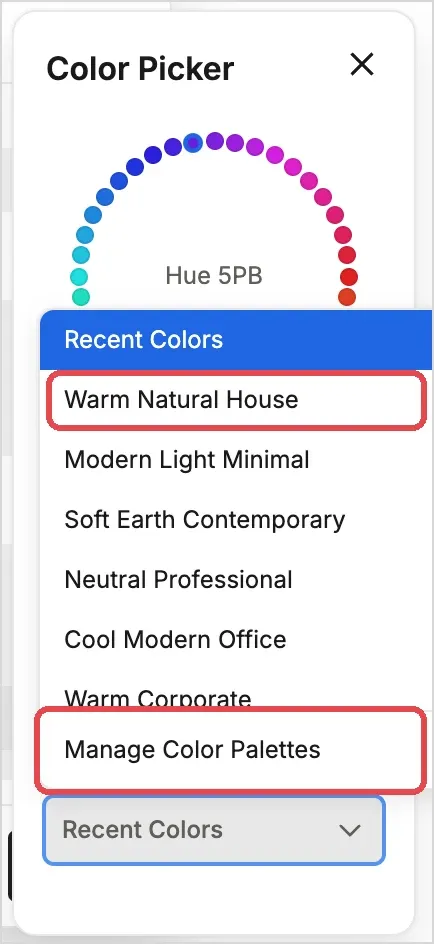
Open the Recent Colors menu to choose a saved palette, such as Warm Natural House or Modern Light Minimal. To create or edit your own palettes, choose Manage Color Palettes.
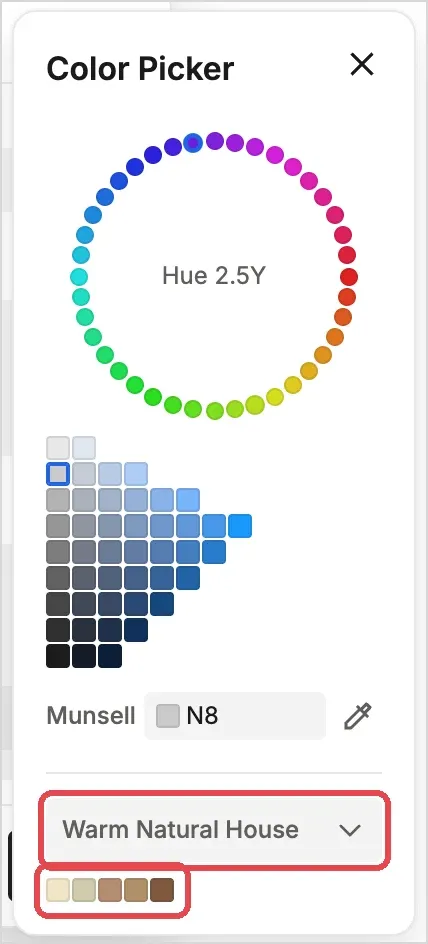
The colors of the chosen palette appear as swatches under the menu. Click one to use it.
💡 Tip: For set colors such as brand colors, specify them with a Munsell value in the Color Picker to reproduce them accurately.