
Payments and Credits
Payment methods and how to check, buy and manage your credits.
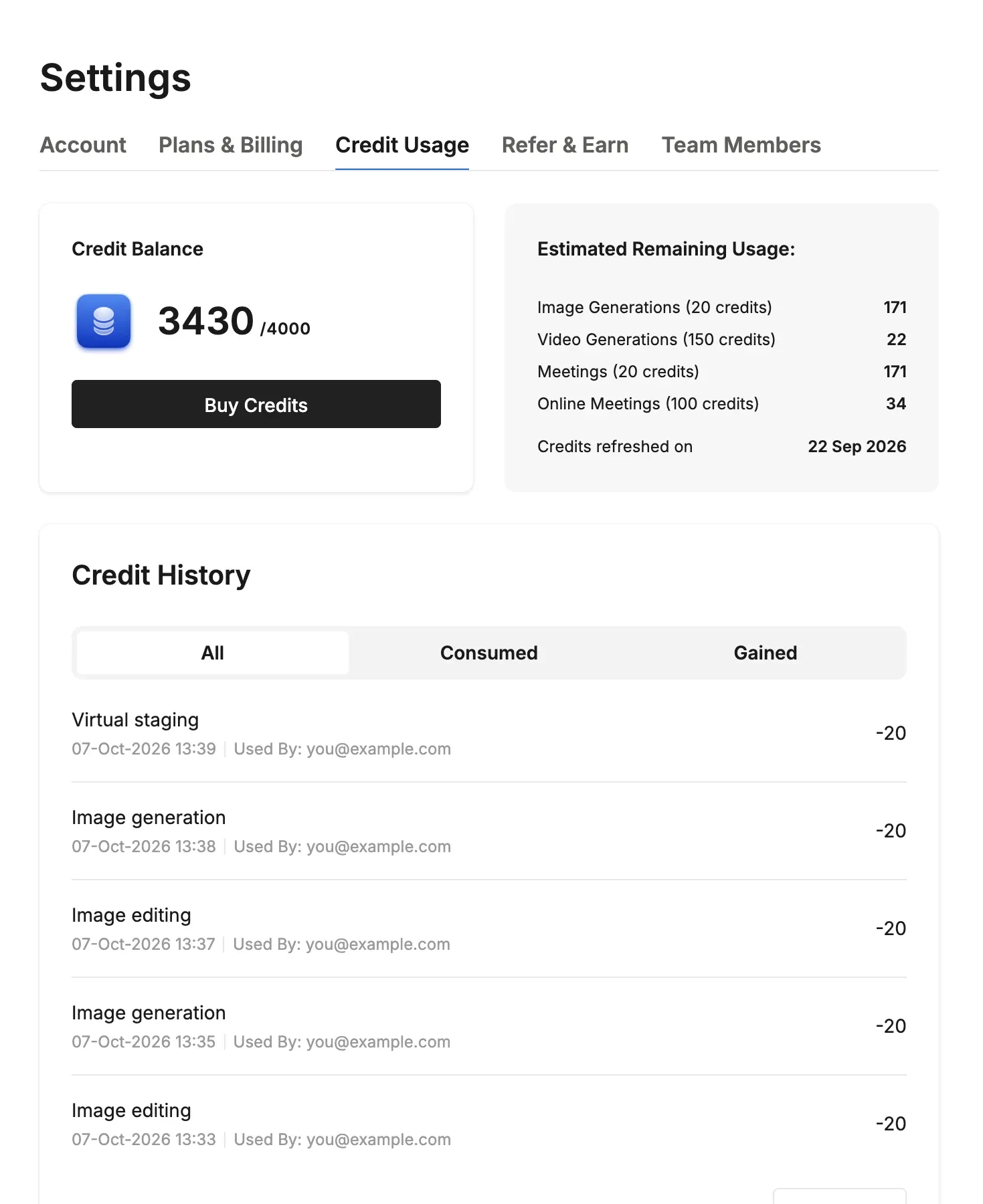
In Credit Usage on the Settings screen, you can check your credit balance and usage. For how many credits each feature uses, see How Credits Work.
Payment Methods
- Online payment (credit card): Choose monthly or annual billing. You can start right after payment, and extra credit purchases and member invitations take effect immediately.
- Invoice payment: Annual lump-sum payment only. You can start once we confirm your payment.
Checking and Buying Credits
- Credit Balance: Shows your remaining credits and the Buy Credits button.
- Estimated Remaining Usage: A rough guide to how many more times you can use image generation, video generation, meeting notes and more.
- Credit History: A history of credits used and added (date, time and user).
- Buying more credits: Use Buy Credits. Purchased credits never expire.
Credit Packs (Plans Outside Japan)
Larger packs cost less per credit, and Lite and Max subscribers pay less than Free users.
| Credits | Free | Lite / Max |
|---|---|---|
| 300 | $13 | $9 |
| 600 | $25 | $17 |
| 1,200 | $46 | $32 |
| 2,500 | $92 | $64 |
| 5,000 | $175 | $120 |
Monthly Credit Reset
Your monthly credits reset automatically every month at 9:05 AM (Japan time) on your contract date. Unused monthly credits don't roll over to the next month.
💡 Tip: Purchased credits never expire, while monthly credits reset every month. Use your monthly credits first so nothing goes to waste.