
Try It: Turn a Rendering Into a Video
A quick tutorial on turning a single rendering into a moving proposal video.
Here, you create a moving proposal video from one rendering. You'll walk through the whole AI Video workflow.
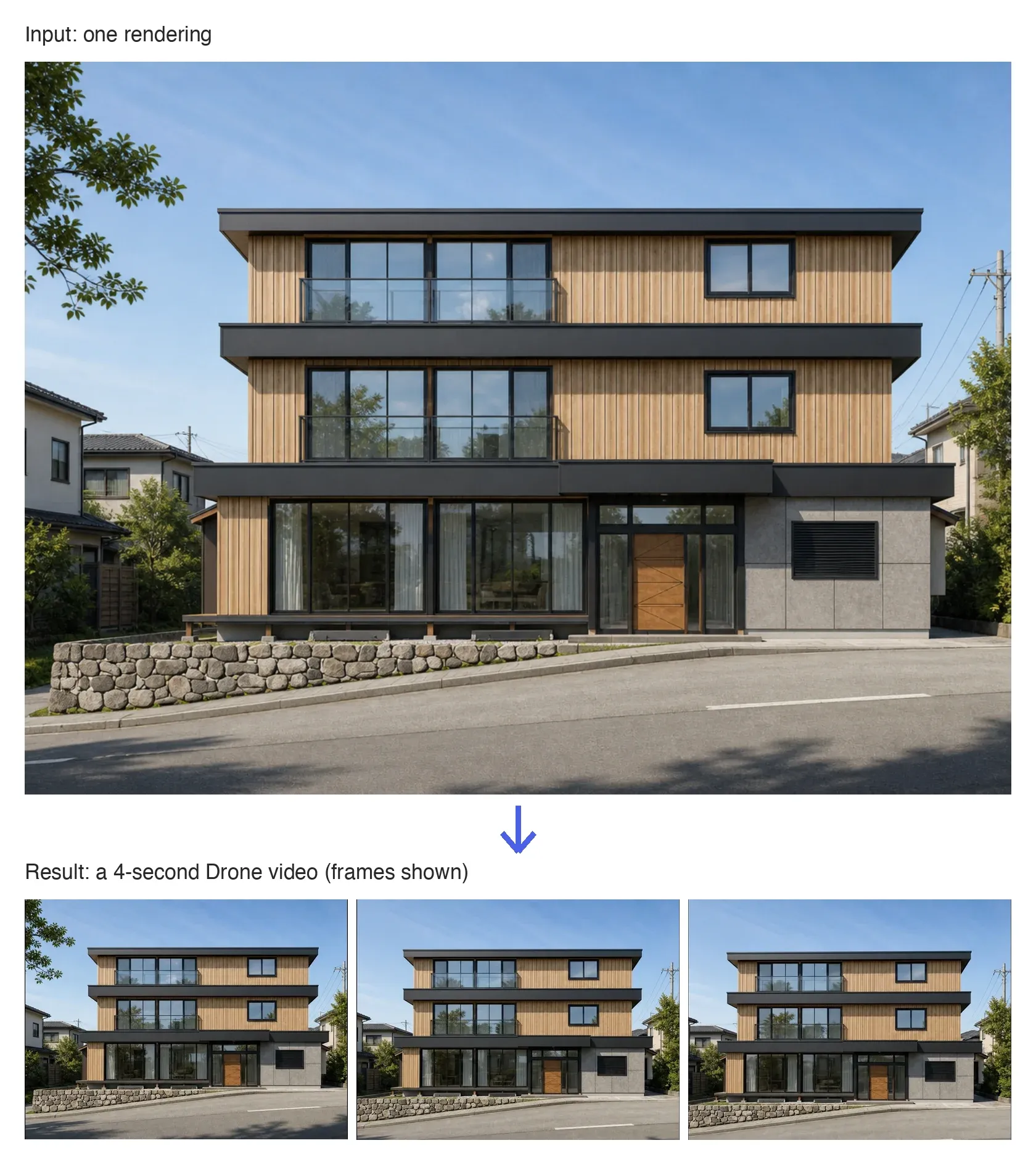
How to Use It
- Open AI Video: On Home, click the AI Video tile. A new project opens on the Video tab.

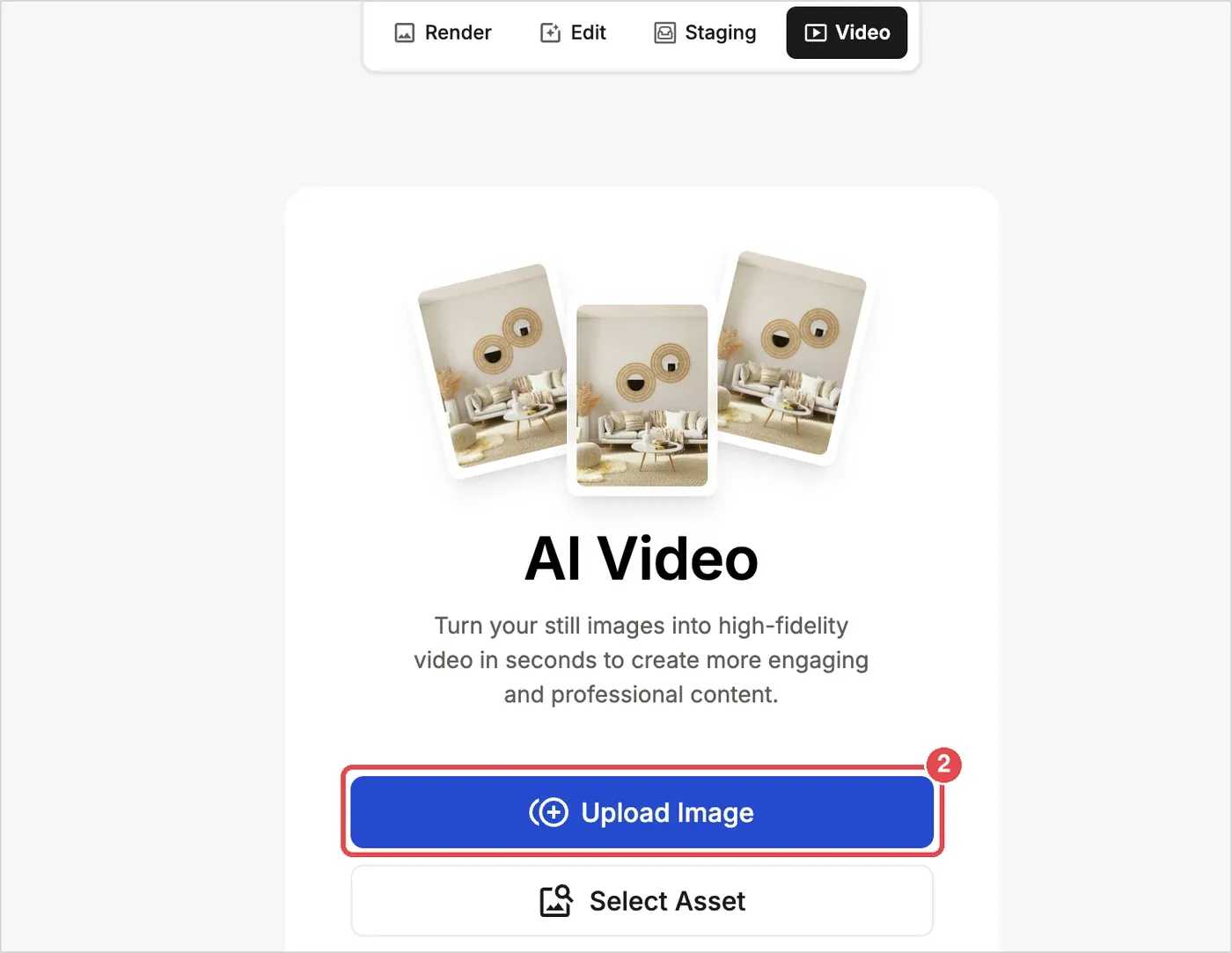
- Upload an image: Load the one rendering you want to turn into a video.
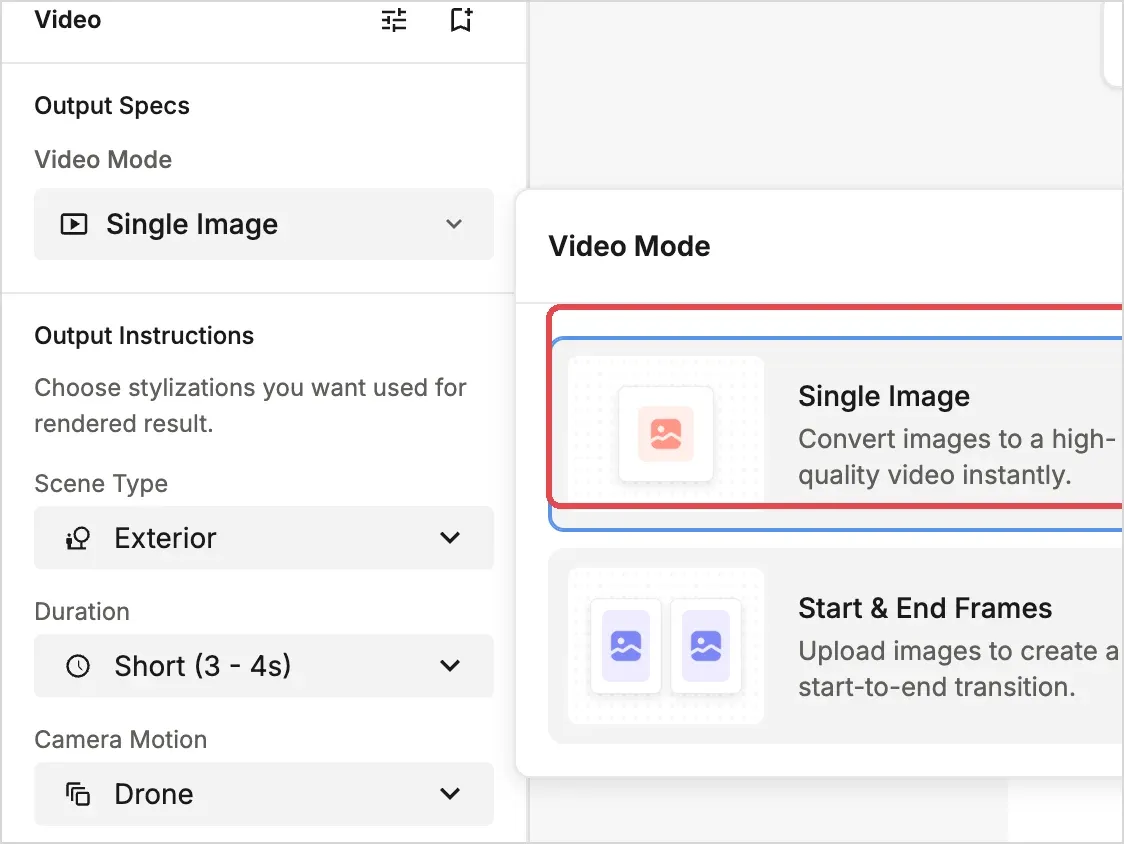
- Choose the Video Mode: Select Single Image.
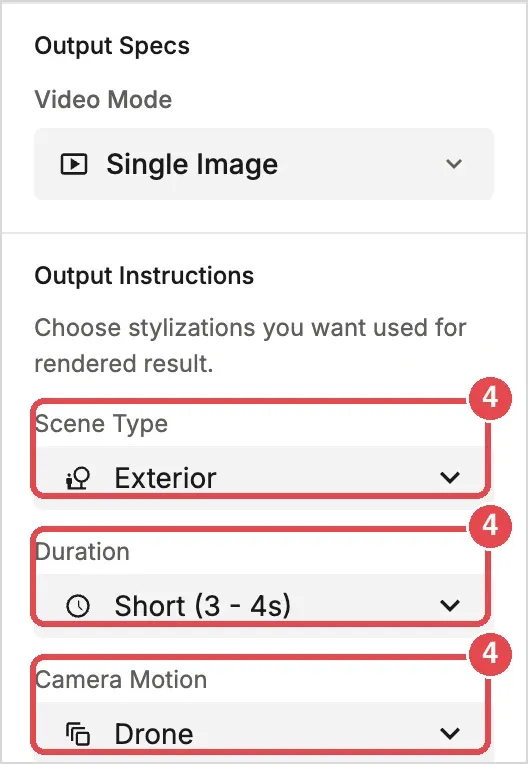
- Set the Output Instructions: Choose the Scene Type, Duration and Camera Motion.
- Generate: Click the Generate button (150 credits).
💡 Tip: Video generation is expensive at 150 credits per run. To avoid waste, settle on the direction with still images first, then turn the result into a video.