
Request Types: Replace/Add/Remove
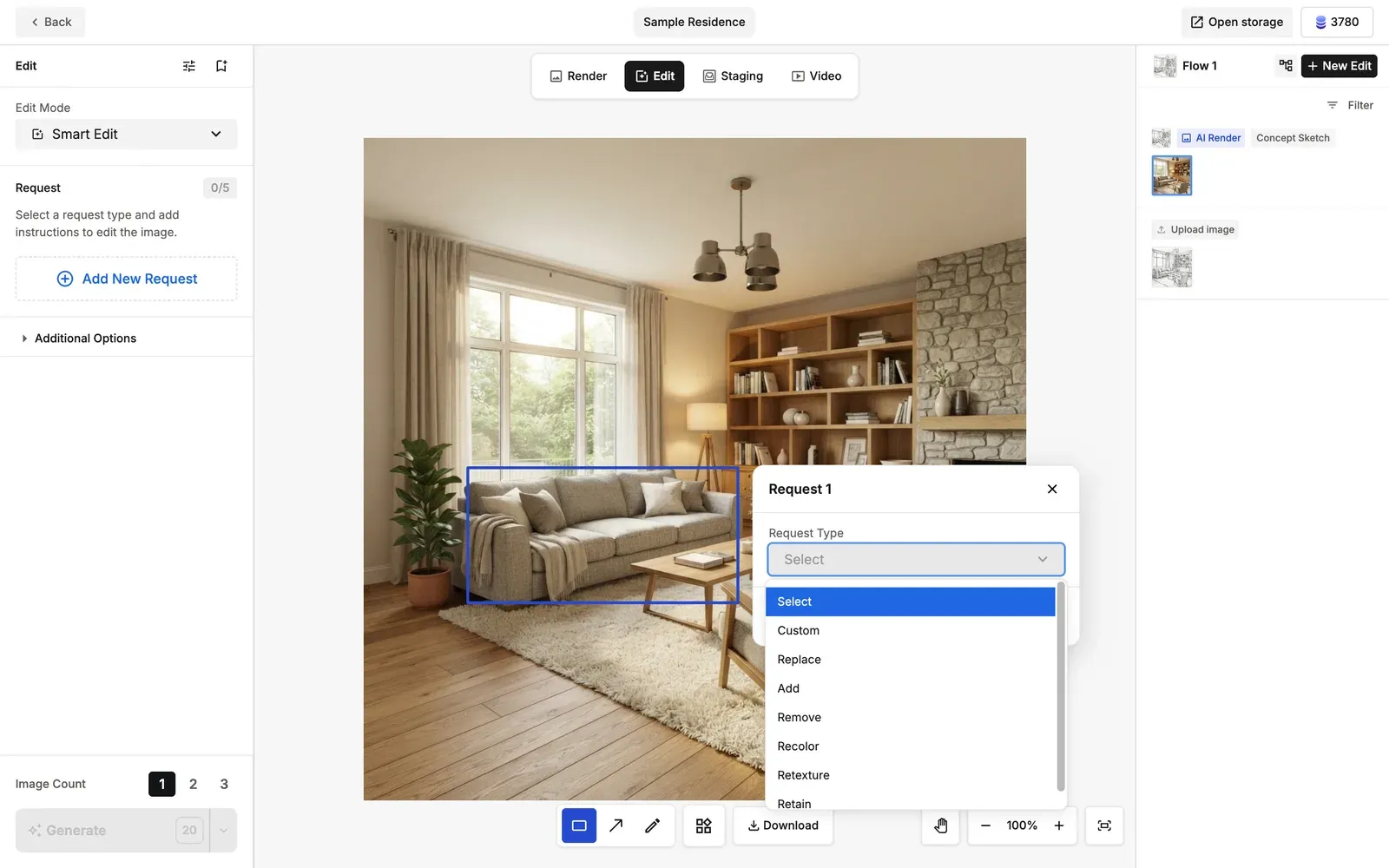
These are the Smart Edit request types for the basic actions: swapping, placing something new, and erasing. They let you intuitively tell the AI to swap, add or erase elements in the area you marked.
3 Request Types
- Replace: Swaps the marked object for something else (you can also use a reference image).
Example: brown leather sofa → green linen sofa. - Add: Adds a new object at the marked position (you can also use a reference image).
Example: a spotlight / the center of the living room. - Remove: Removes the marked object and smoothly fills in the background.
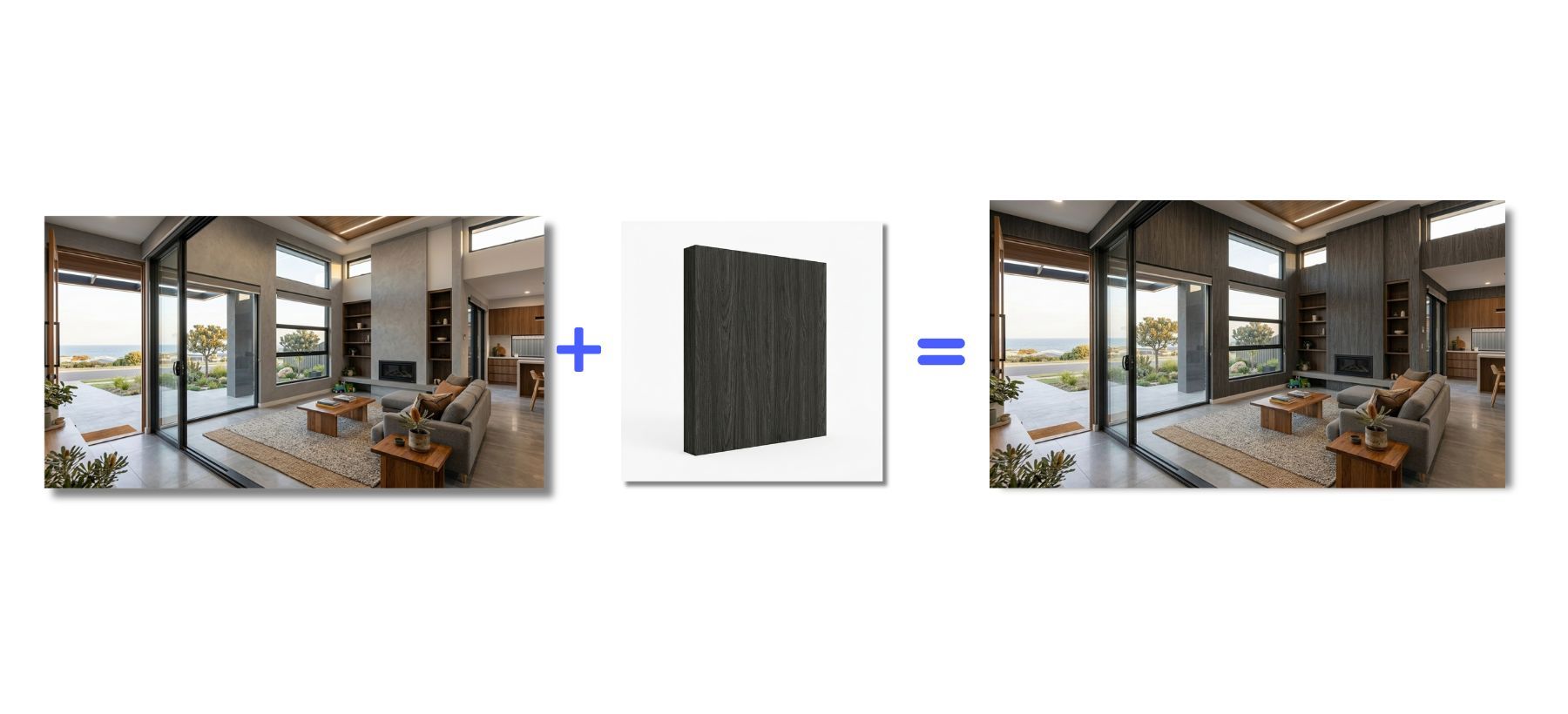
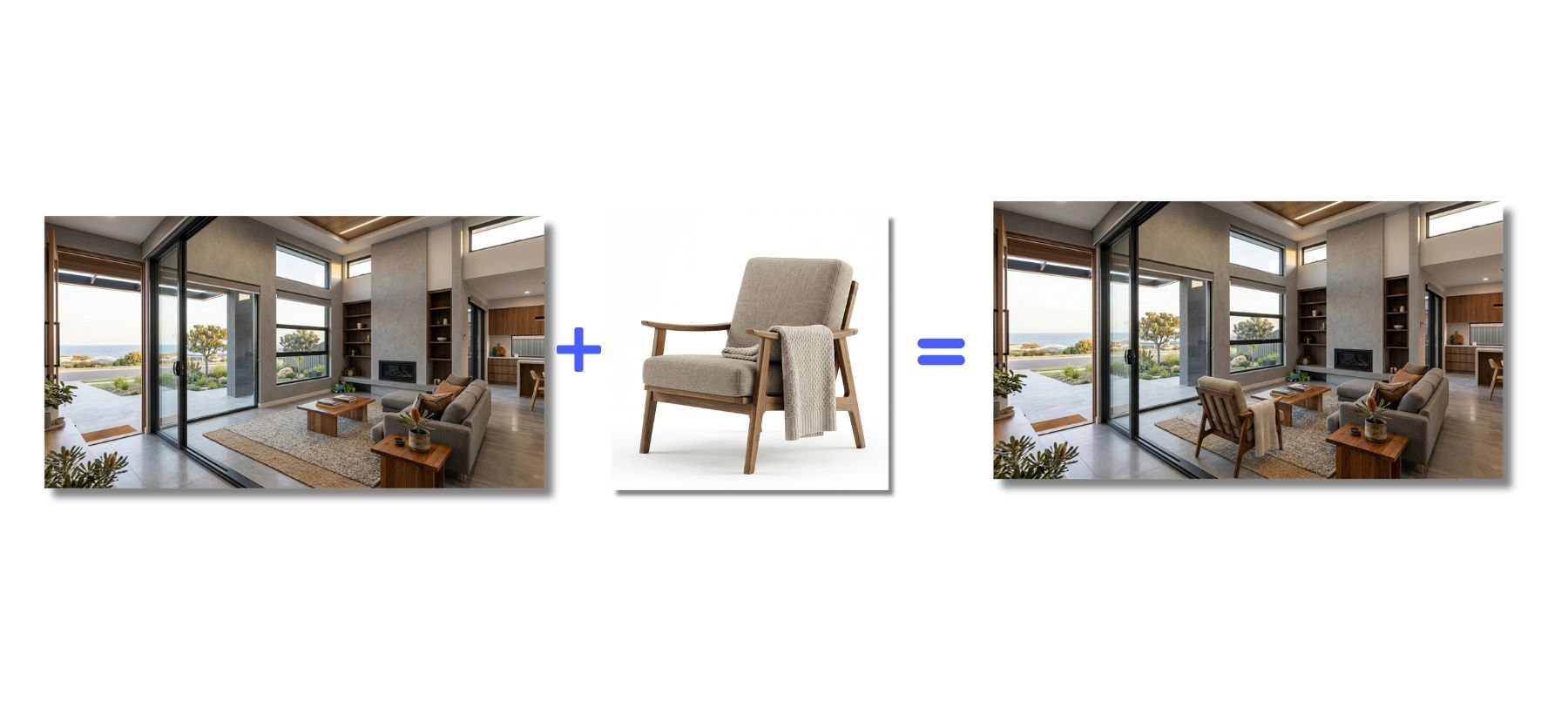
💡 Tip: Replace and Add work with text instructions alone, but attaching a reference image (by uploading it or by drag and drop from within the app) gives you a rendering closer to what you have in mind.