
Lighting (High Noon/Morning Haze/Interior Glow)
Change the mood of your rendering with the way light falls on the scene.
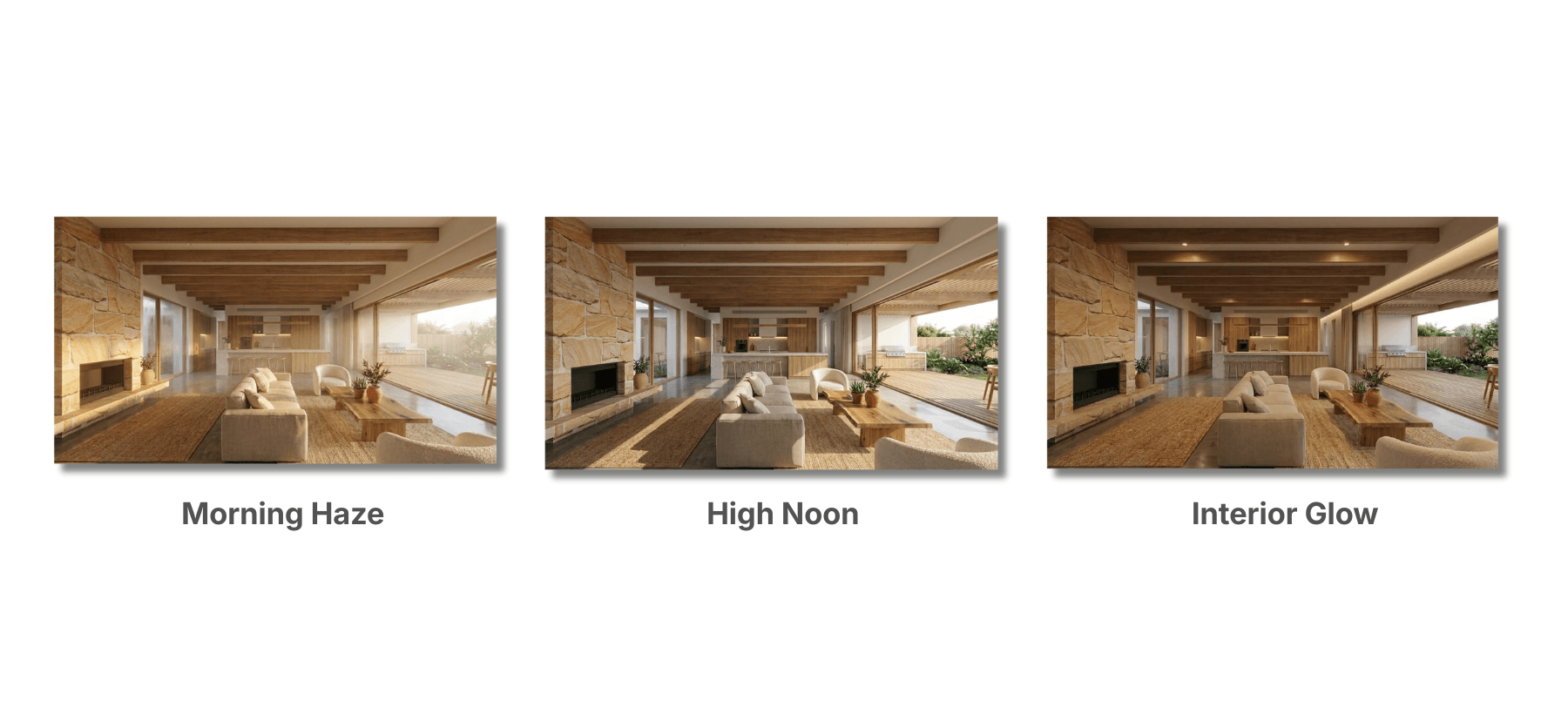
Use Lighting in the Output Specs to choose how the light falls. Even in the same space, just changing the lighting makes a big difference to the impression.
Lighting Options You Can Choose
- High Noon: A bright, crisp look.
- Morning Haze: A soft, calm look.
- Interior Glow: The atmosphere of a room with the lights on.
💡 Tip: For proposals, generating 2 or 3 lighting variations to compare makes it easier to get your idea across. If the brightness isn't what you expected, add words like "bright" or "soft light" to your prompt.