
Removing Objects
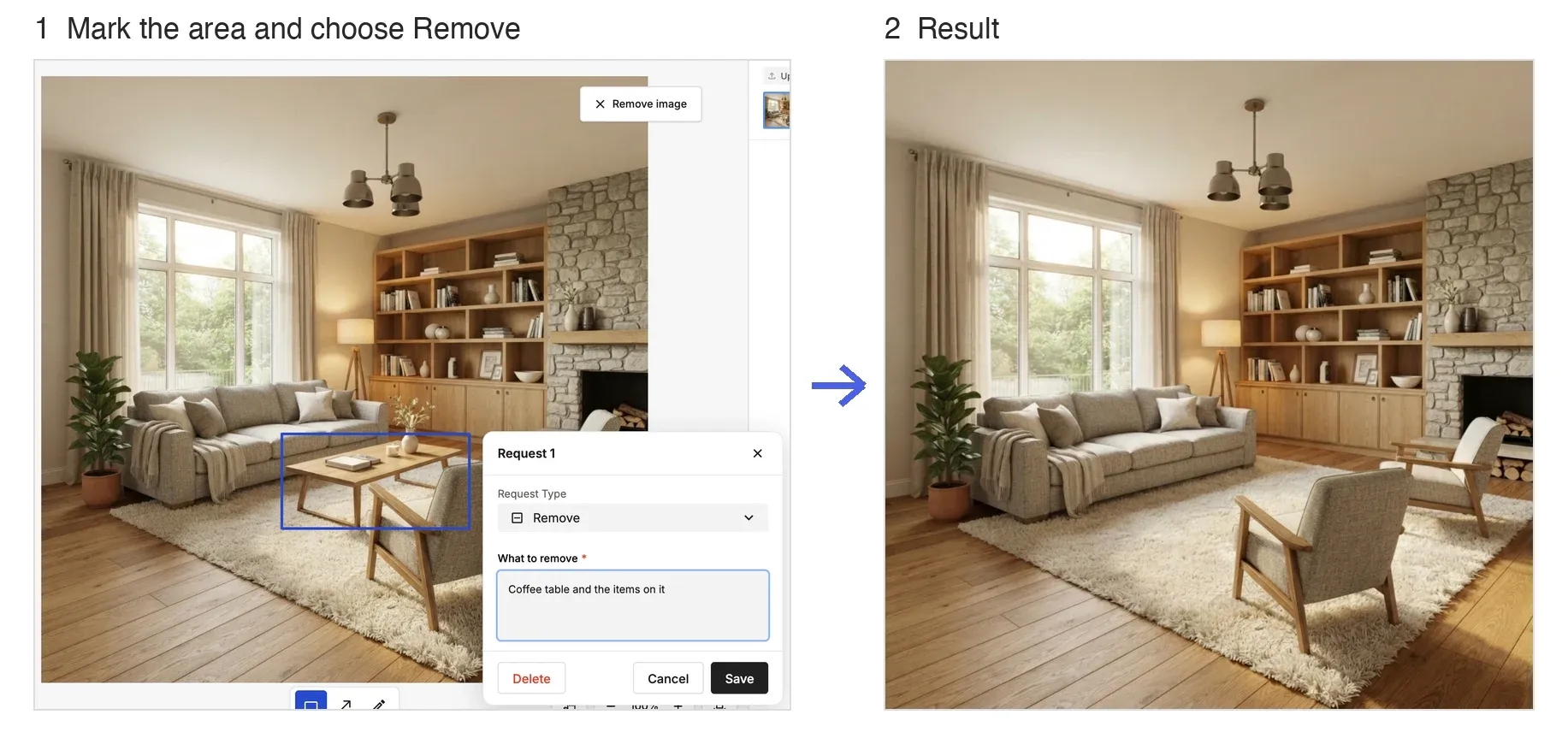
To erase unwanted objects while keeping the background, use Smart Edit with the Remove request type. It's handy for removing everyday clutter or things you don't want in the shot.
How to Use
- Open the Edit tab and make sure Edit Mode is set to Smart Edit.
- Draw a Rectangle or use Free draw around the object you want to remove.
- In the request that opens, set Request Type to Remove, then click Save.
- Click Generate. The object is removed and the background is filled in.
💡 Tip: You can combine a removal with up to 4 other requests in the same generation, which saves credits.